
AI photo editing has become a huge trend in recent years. All the best photo editing software are jumping on the bandwagon, stating their features are the best for making fast edits that save photographers hours of editing time. But, with all of them making the same claim it can be hard to know which one to choose – so I tested them all and I’m sharing the best AI photo editor currently available.
Not all AI-powered editors are created equal. Some offer incredible automation at the cost of flexibility, while others blend AI with traditional editing tools for the best of both worlds. In this article, I’ll share what I believe are the services striking the best balance of AI convenience and creative control.
I’ll also cover which AI features stand out in real-world use, how pricing compares and whether they’re worth it for beginners, enthusiasts, or professionals running a photography business.
What is AI Photo Editing?
ALSO READ: Best AI Humanizer Tools for 2026
At its core, AI photo editing is the process of passing your manual control over to a photo editing software and letting it manipulate a photograph on your behalf. Now, there’s multiple ways to approach this…
Some software lets you add a text based prompt and then run your edits. At the time of writing, they only allow for minimal edits, and I don’t believe writing a prompt is any quicker than manually making the adjustments in the sliders yourself.
For the most part, the best AI photo editing apps blend its AI tools with features that still give photographers plenty of control. Tasks like removing objects, replacing skies and experimenting with lighting and bokeh now take seconds thanks to intelligent generative AI functionality.
Simply put: AI photo editing is a time saver for mundane tasks, freeing up time for you to get creative with your manual input.
How I Tested the Best AI Photo Editor Apps
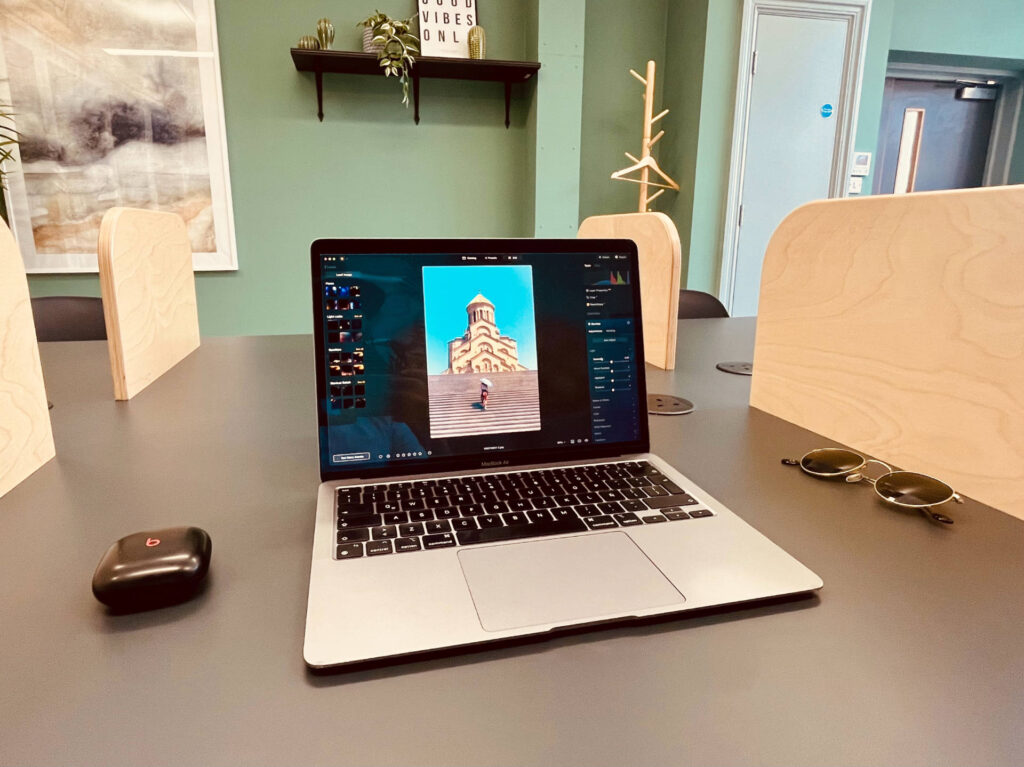
To find the best AI photo editors, I tested each service on my 2020 MacBook Air (M1). It’s the base model, with 8GB of RAM, an 8-core CPU, and 256GB of SSD storage. Despite being five years old, it’s still more than capable of running today’s AI-powered editing software.
I integrated each app into my regular workflow for at least two weeks, paying close attention to AI accuracy, editing speed, and real-world usability. I also tested mobile versions where available, to see how seamless it was to edit across devices.
Why Luminar Neo is the Best AI Photo Editor
If you want the best AI photo editor overall, my top pick is Luminar Neo.
It has the most comprehensive set of AI editing tools, from automated sky replacement to powerline removal, and balances beginner-friendly presets with advanced manual controls. Unlike Adobe Lightroom, it also offers a one-time purchase option, making it far more affordable in the long run.
Luminar Neo: The Best AI Photo Editor Overall
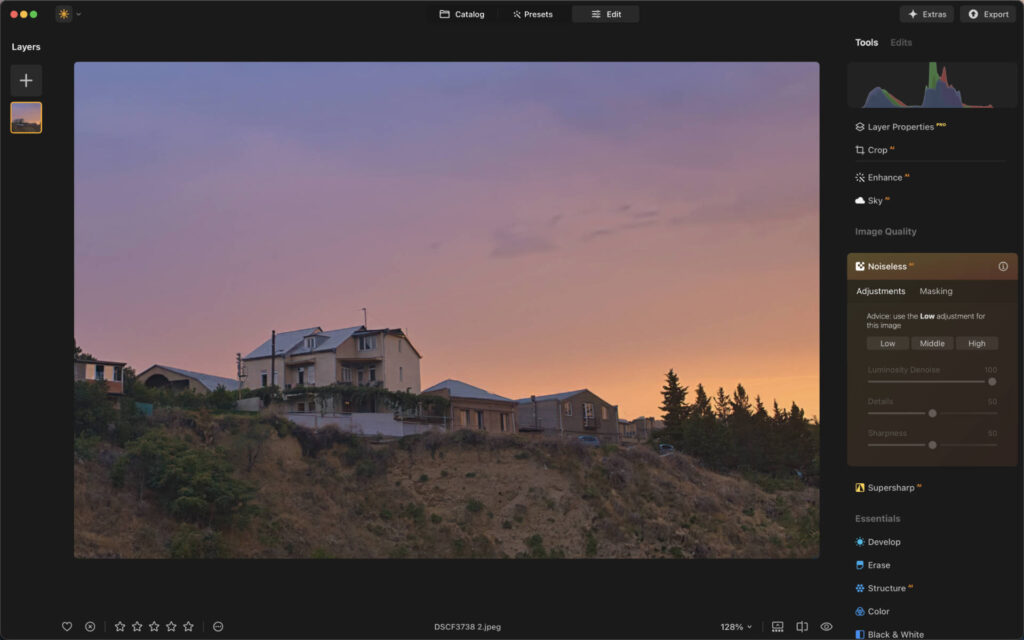
Luminar Neo positions itself as the ultimate AI-powered editor. It’s sleek, fast, and packed with over 25 AI tools that make complex edits simple.
Top AI Editing Tools in Luminar Neo
- Sky AI – Replace dull skies with 35+ presets.
- Object Removal AI – Erase distractions with one click.
- Relight AI – Adjust lighting in specific areas of your photo.
- Face AI & Skin AI – Automatic portrait retouching that looks natural.
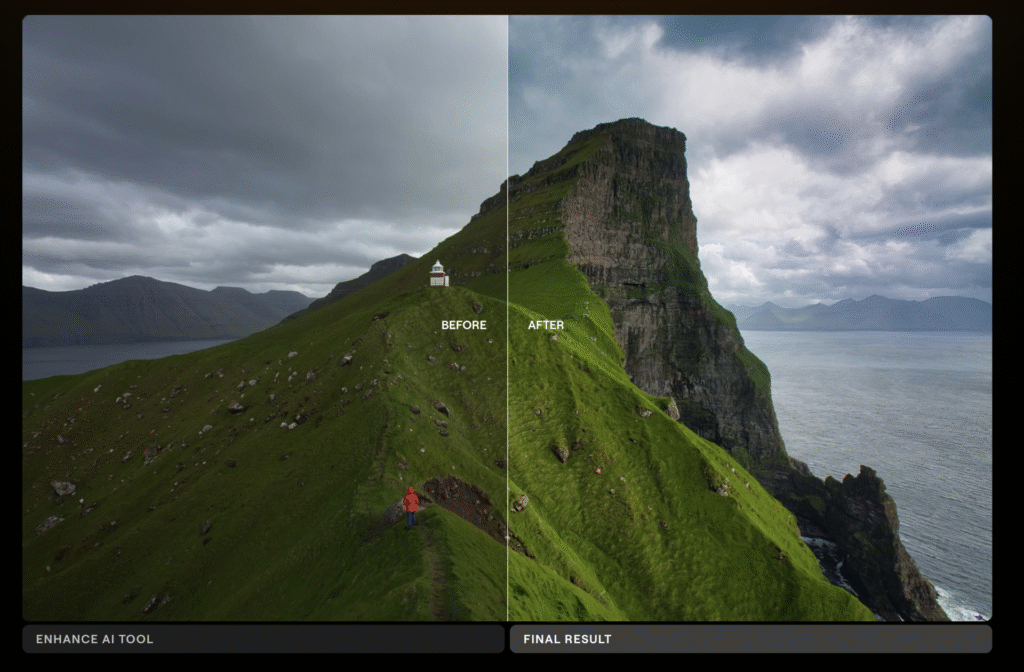
- Enhance AI – One slider improves color, contrast, and detail intelligently.
My Real-World Experience
I found Luminar Neo’s AI tools both powerful and accurate. The powerline removal tool impressed me most, it erased 95% of wires in under a minute without manual clean-up. Performance-wise, even on my older MacBook, edits were snappy and crash-free.
The iOS version is just as impressive, with haptic touch feedback that makes editing almost game-like. There’s plenty of AI functionality on their mobile app as well.
Pricing
- Perpetual Desktop License: $119
- Cross-device License (Desktop + Mobile): $159
- Max License (Desktop + Mobile + Creative Library): $179
Lightroom: Best Cloud-Based AI Photo Editor
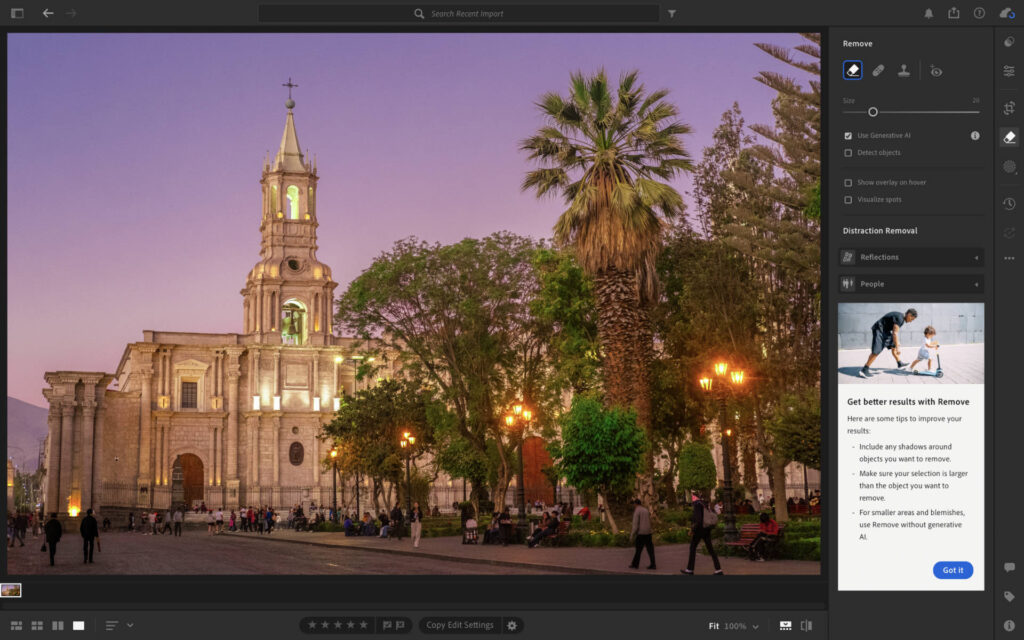
Adobe Lightroom remains the industry standard, and while it’s not as AI-heavy as Luminar Neo, it integrates smart automation into a professional, cloud-based workflow.
Top AI Editing Tools in Lightroom
- AI Masking – Automatically selects skies, subjects, or backgrounds.
- Content-Aware Removal – Cleanly removes objects from your photos.
- Adaptive Presets – AI-tailored presets for portraits, landscapes, and more.
My Real-World Experience
Lightroom shines with its file management and cloud syncing. I loved being able to pick up edits on my iPhone exactly where I left off on my Mac. The AI masking is incredibly accurate—isolating subjects or skies with near-perfect precision.
That said, Lightroom isn’t as creative with its AI tools compared to Luminar Neo. It’s more about precision and workflow efficiency.
Pricing
- Monthly Lightroom + 1TB Cloud: $17.99
- 12-Month Commitment: $11.99/month
- Annual Plan: $119.98
The main downside in terms of pricing is that there’s no perpetual license, meaning that subscriptions are the only option. If you’re a long term user this can really hike up the price you pay for photo editing apps, hence why I tend to recommend a service offering a one time fee.
ON1 Photo RAW Max: The Most Versatile AI Photo Editor
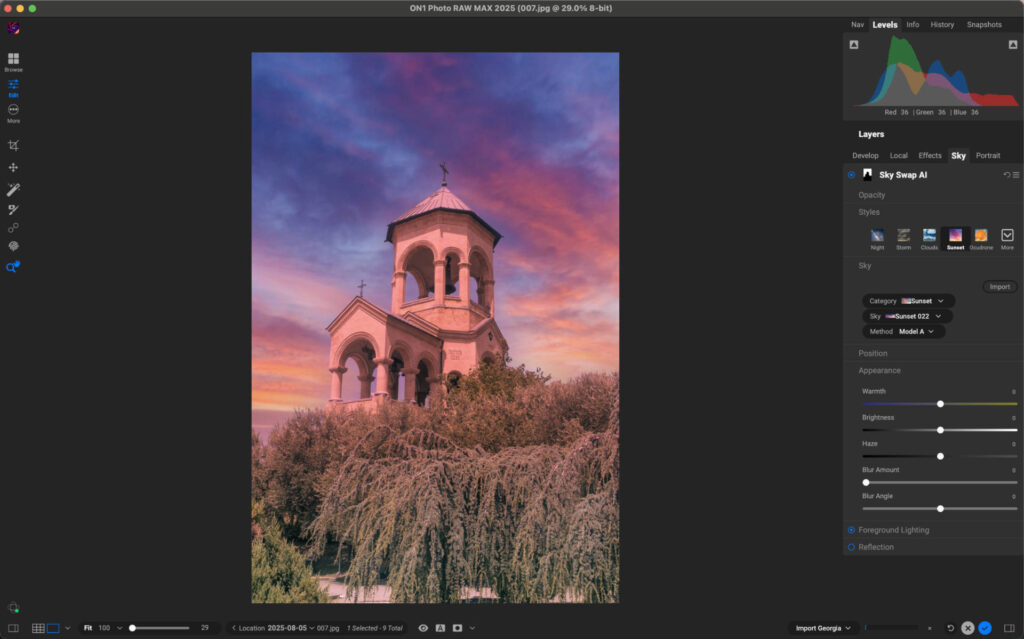
ON1 Photo RAW Max takes a modular approach. It’s a full-featured editor that can be expanded with specialized AI-powered add-ons, making it ideal for photographers who want flexibility.
Top AI Editing Tools in ON1 Photo RAW Max
- NoNoise AI – State-of-the-art noise reduction.
- Resize AI – Scale up images for prints without losing detail.
- Portrait AI – Automatic retouching with customizable controls.
- Keyword AI – Automatically tags your photos for faster searching and more fluid file management.
My Real-World Experience
I was impressed with ON1’s noise reduction, it felt natural and didn’t over-smooth my images. Performance was rock solid even when I had multiple browser tabs open in the background.
I also appreciated the community aspect: ON1 Plus gives access to a network of photographers for sharing edits and feedback, which makes it more interactive than other options.
Pricing
- Perpetual License: $89.99 (two devices)
- Annual Subscription: $79.99 (three devices + 200GB cloud)
- Everything Plus Plan: $129.99 (five devices + 1TB cloud + training access)
Final Thoughts: Which AI Photo Editor Should You Choose?
Choosing the right AI photo editor really comes down to how you like to work. If you want a full suite of AI-powered tools that can handle everything from sky replacements to powerline removal, Luminar Neo is the clear winner. It feels fast, intuitive, and offers the perfect balance between automation and creative control. The fact that you can buy it outright without being locked into a subscription also makes it one of the best value options out there.